
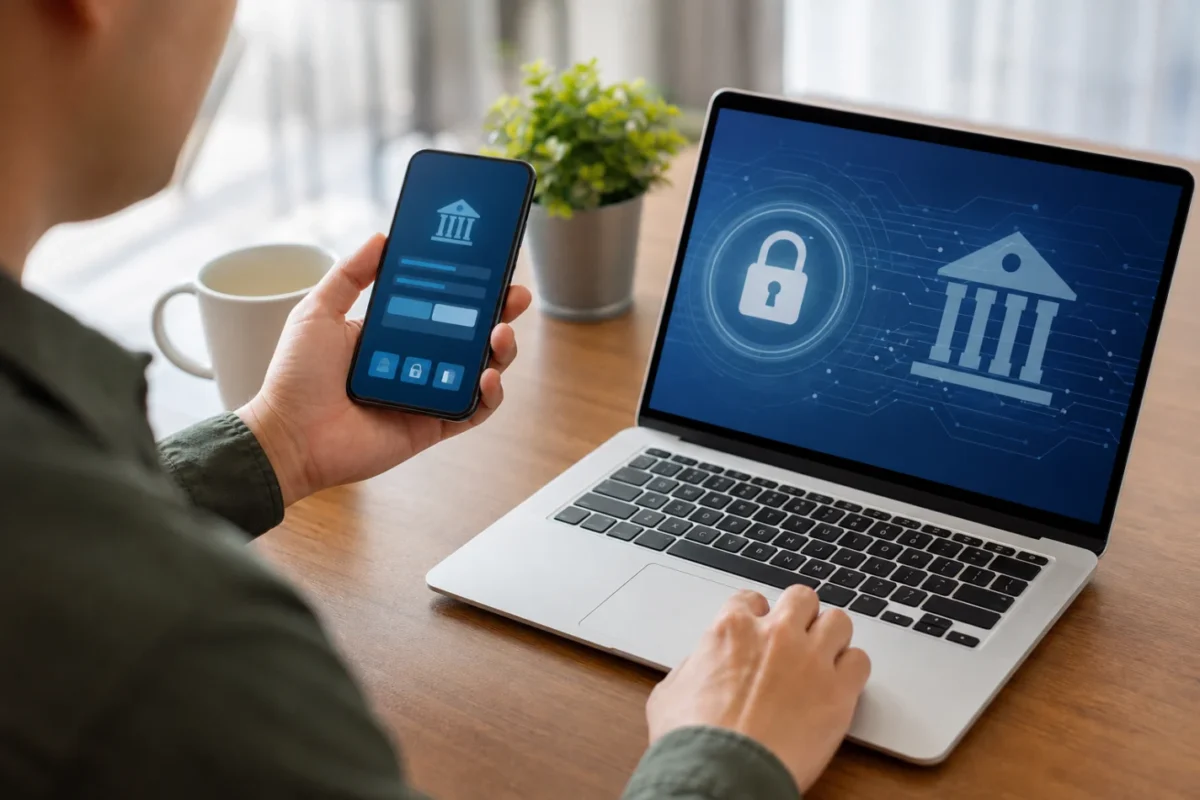
Have you ever stopped to think about how so many people take care of all their banking needs without leaving home? Today, let's understand What is online banking? It helps save time and better organize your financial routine. Instead of waiting in line, customers can access services through the bank's website and complete basic transactions in just a few minutes.
According to the Central Bank, digital channels have expanded access to financial services in the country. In practice, this means greater autonomy to check account balances, pay bills, and monitor transactions with more control. The key is to use these resources carefully and securely in your daily life.
What is online banking?
Internet banking is access to banking services online, usually through the bank's official website. It allows you to check your balance, view statements, pay bills, transfer money, and review transaction history without having to go to a branch.
In practice, the concept is simple: you log in with your credentials and navigate the bank’s online platform. In many cases, the system also displays options such as Pix, scheduling payments, and updating your personal information.
For those just starting out, What is online banking? It can be understood as a web-based channel for customer service and financial transactions. It does not replace the entire relationship with the bank, but it handles a good portion of everyday tasks.
“Digital channels play a central role in the customer’s relationship with the financial system because they provide faster and more convenient access to basic services.” — Central Bank of Brazil, institutional page on electronic customer service channels.
If you want to learn more about modern ways to move money, it’s also worth understanding digital money, which is directly linked to this transformation. In our financial routine tests, we found that people who frequently use online access tend to keep better track of their monthly bills.
This habit becomes even more useful when someone wants to avoid disorganization and establish consistency. What is online banking? It's not just technology: it's a way to better manage income, expenses, and financial obligations.
How It Works on a Day-to-Day Basis

The process usually begins by entering your username and password on the bank's website. The system then requests an extra layer of security, such as an SMS code, a token, or confirmation on another device.
Next, the user accesses the main menu and selects the desired transaction. This could be a Pix transfer, a TED transfer, a boleto payment, or simply viewing the monthly statement.
In everyday life, What is online banking? It becomes very clear when people take care of quick tasks at home, at work, or anywhere with an internet connection. This helps them fit their financial life into their actual routine, without having to depend on branch hours.
Here are some common tasks that many people take care of without leaving home:
- Check balance: Check how much has come in and how much is still available for the month.
- Paying bills: Pay water, electricity, internet, and bills before they are due.
- Making transfers: Send money via Pix or TED to friends, family members, or your own accounts.
- View statements: track recent purchases, withdrawals, and deposits more clearly.
- Schedule payments: avoid delays and keep the budget organized.
When you get into the habit of checking it often, you'll notice spending patterns more easily. What is online banking? It ceases to be just a technical feature and becomes a tool for personal organization.
If your question is about digital channels in general, it might also be helpful to learn about the secure banking app, because it usually complements browser-based use. But it’s worth emphasizing here: online banking refers to access via the website, not necessarily via the app.
Our tests with novice users show one simple thing: the clearer the interface, the lower the chance of error. Even so, the basic step-by-step process is usually similar across banks, which makes it easier to adapt.
Key Benefits for Users
The biggest advantage is convenience. You don't have to go anywhere to perform basic transactions, and that saves time in everyday situations, such as paying a bill that's due soon.
Another advantage is financial control. By checking your transactions frequently, it becomes easier to spot forgotten subscriptions, duplicate purchases, or expenses that exceed your budget. This helps you adjust your budget based on actual data.
In our practical experience, people who use this channel regularly tend to be more disciplined about keeping track of their money. What is online banking? It is valuable precisely because it makes day-to-day financial tracking more accessible.
In addition, the service allows you to schedule payments. This reduces the risk of late payments and helps you avoid late fees on recurring bills, which is especially useful for those who receive payments on varying dates.
Another benefit is the centralized view of one's finances. Instead of relying on scattered notes, users can see their income and expenses in a single place, which improves decision-making.
Finally, What is online banking? It's also important because it helps build a habit. When access is easy, checking your statement is no longer a task you put off—it becomes part of your routine.
Online banking and digital banking
It's common to confuse the two, but they are not the same thing. Internet banking is the online access channel, typically via a computer or mobile browser.
A digital bank, on the other hand, is an institution designed to operate primarily through digital channels, with less reliance on physical branches. Many offer access via a web browser as well as through Banking app.
In practice, you can use a traditional bank's website and, at the same time, have a companion app. This shows that What is online banking? It does not depend on the existence of a physical branch, but rather on online access to services.
Traditional banks typically maintain a broader structure, with in-person service and integrated digital channels. Digital banks, on the other hand, tend to prioritize the online experience from the outset.
If the customer prefers a larger screen and better visual organization, the browser may be more convenient. If they want mobility, the Online banking via cell phone It's a practical alternative, especially for quick consultations.
For beginners, the key is to distinguish between the different concepts. What is online banking? Web-based access is one way to access it; a digital bank is a type of financial institution; an app is simply another channel that can coexist with both.
Safety Precautions
Security is an essential part of using the service. Even though this is an official bank platform, users need to adopt simple habits to avoid scams and unauthorized access.
The most common risks involve fake websites, password theft, open Wi-Fi networks, and messages asking for confirmation of personal information. In general, scammers try to pressure people into acting quickly.
That is why it is important to understand What is online banking? It also involves knowing how to use online banking safely in your browser. It’s not enough to just log in; you need to check every detail before entering sensitive information.
Practical steps you can take right now:
- Strong password: Combine letters, numbers, and symbols, avoiding dates and obvious words.
- Official website: Type the address manually or use your saved bookmarks with caution.
- Secure network: Always use your home internet or a trusted connection—never public Wi-Fi—for sensitive transactions.
- Authentication: Do not share codes sent via text message, email, or an app.
- Updates: Keep your browser and operating system up to date.
It’s also a good idea to be wary of links received via text message. If something seems overly urgent, take a moment to review it carefully before clicking. This caution greatly reduces the chance of ending up on cloned websites.
Another important precaution is to check the website's address. The padlock icon in the browser helps, but it's no substitute for checking the full URL. What is online banking? This includes the practice of checking the environment before any operation.
If you use digital channels frequently, it's worth comparing the guidelines for content on Secure Banking App? See Tips to Avoid Scams. Threats take different forms, but the logic behind protection remains the same.
Common Problems and How to Solve Them
Forgetting your password is one of the most common situations. In this case, the website itself usually offers the option to reset it via email, text message, or another registered method.
Your account may also be locked due to repeated login attempts. When this happens, it’s best to follow the bank’s instructions and avoid making too many attempts, so as not to prolong the restriction.
Another common problem is an error during registration or difficulty completing the transaction. What is online banking? It sometimes seems complicated at first, but most banks provide explanatory messages right on the screen.
If the transaction doesn't complete, check three things: a stable connection, correct data, and available limit. In many cases, the error lies in one of these simple steps.
If you've already tried the basic troubleshooting steps and the problem persists, it's time to contact support. Use the bank's official support channels—by phone, chat, or through the website itself.
If you suspect unauthorized access, block access immediately and review recent activity. In such cases, acting quickly is more important than trying to resolve the issue on your own.
Based on the practical advice we've seen, the most helpful step for beginners is not to give up at the first setback. What is online banking? It takes a little getting used to, but the support is usually very helpful when you first start using it.
When is it worth using?
It's worth it for anyone who wants to keep track of their budget more often. If you receive a paycheck, pay bills, and make transfers on a regular basis, this channel makes your routine easier.
It's also useful for people who want more independence. Instead of having to rely on business hours, users can take care of most of their needs whenever it's most convenient for them.
For those who are developing financial education, What is online banking? It becomes a helpful habit to track your money. Regularly reviewing your income and expenses helps you make less impulsive decisions.
This makes a difference, for example, for those who want to avoid late-payment fees or better understand where their paycheck is going. It’s not a magic solution, but it improves visibility into cash flow.
People who use spreadsheets, spending goals, or category-based tracking tend to get even more out of the feature. The more organized a person is, the more value they get from online access.
In our monitoring of financial routines, we’ve found that checking your statement frequently tends to reduce “surprises” at the end of the month. What is online banking? It works best when you make it a habit, not when you use it only in emergencies.
Time to use it without fear
Now you understand What is online banking? and how it can make your financial life easier by offering convenience and control. The basics are simple: visit the official website, use strong passwords, and check your account activity regularly.
If you want to keep learning, explore content on money management and secure digital channels. Start taking basic precautions today and use this tool to help you better manage your budget.
This content is for educational purposes only and does not constitute an investment recommendation. Consult a certified financial advisor before making any decisions.
Frequently Asked Questions About What Internet Banking Is
What is online banking, and how does it help in everyday life?
Internet banking is access to a bank's services online, usually through its official website. It allows you to check your balance, view statements, pay bills, make transfers, and track transactions without having to go to a branch, making your daily routine more convenient.
How can I use online banking safely?
Ideally, you should only access the bank's official website, keep your login and password secure, and enable additional layers of verification, such as a token or an SMS code. It's also a good idea to avoid public Wi-Fi networks and always verify that the transaction was completed successfully.
What are the most common transactions I can perform through online banking?
Among the most commonly used features are checking account balances, requesting statements, paying bills, scheduling payments, making Pix transfers, and transferring money via TED. At many banks, you can also update your personal information and track account activity in real time.
Is online banking the same thing as a banking app?
Not exactly. Internet banking is usually accessed through a web browser on the bank's website, while the app runs on a cell phone. Both may offer similar services, but the access channel and user experience are different.
Is it a myth that online banking completely replaces branch banking?
Yes, it's a myth. Online banking handles many day-to-day tasks, but it doesn't replace the need for in-person service in all cases. In more complex situations, customers may still need to visit a branch or use other bank channels.