

Secure Banking App? See Tips to Avoid Scams – Here, you’ll learn how to check an app’s certificates, encryption, and permissions. Learn what to look for in updates, use strong passwords and a password manager, avoid public Wi-Fi networks, and find out how to use them safely.
Install antivirus software and be on the lookout for malware. Learn to spot scams in messages, links, and calls, and find out how to block them, report them, and enable two-factor authentication to protect your transactions.
Key Takeaways
- Use strong, unique passwords
- Enable two-factor authentication
- Keep the app up to date
- Do not click on suspicious links or open attachments
- Use only trusted Wi-Fi networks and avoid public networks
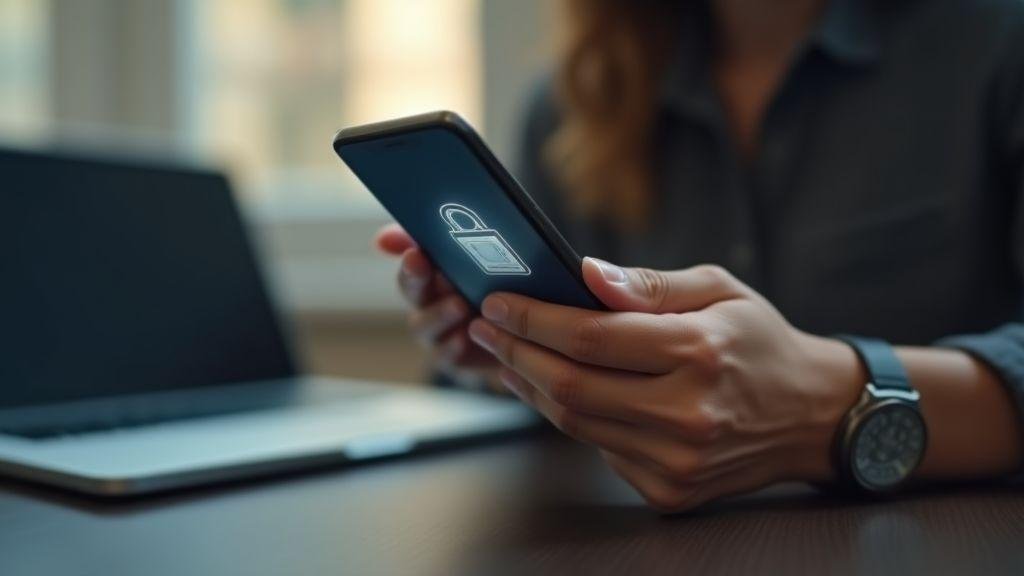
How to Check If a Banking App Is Safe for You
You want to use the bank's app with confidence. Start by checking out the origin: Check to see if the developer listed in the app store is the bank itself, and read real reviews. Counterfeit apps often use strange variations of the name or suspiciously claim to be “official”—that’s a red flag.
See also the technical details: the app requires strong authentication (biometrics, PIN)? The description mentions cryptography (TLS/HTTPS)? These indicators do not guarantee 100% protection, but they do indicate layers of security.
Check out the privacy policies and the permissions requested before installation—if the app asks for access to contacts or files for no apparent reason, be wary. For practical guidance on installation and permissions, see the A Practical Guide to Mobile Security and Apps.
Quick tip: If something seems off, close the app and search for the app's name along with "complaints" — you'll find reports that the app might not show you. If you're considering a digital bank, compare options on lists like the one at 7 digital banks in Brazil before continuing.
Security features: certificates, encryption, and banking app protection
Look for references to digital certificates or security seals on the bank's website—they help ensure that you are connected to the actual server and reduce man-in-the-middle attacks. Terms such as TLS e HTTPS These are good signs in the descriptions.
Features such as two-step authentication and account lockout after failed login attempts demonstrate a focus on your security. For best practices and technical explanations about certificates and banking security, be sure to check out the recommendations on Best Practices for Online Banking Security.
| What to Check | Why it matters |
|---|---|
| Digital certificate | Ensures that the connection is to the actual bank |
| Encryption (TLS/HTTPS) | Protects data while it's being transmitted over the internet |
| Strong authentication | Reduces the risk of unauthorized access by third parties |
Is Your Banking App Secure? Here's How to Protect Yourself
Start by keeping your phone and the app up to date: updates fix vulnerabilities that hackers exploit. Use strong passwords, enable biometrics whenever possible, and never share temporary codes.
Banks never ask for your password via text message — learn more about common practices and scams in articles about Financial Scams and Protection. Small actions Everyday habits protect your money just like a lock on a door.
Practical steps: check the developer, read reviews, keep the app up to date, use two-step verification, and avoid public Wi-Fi networks for transactions.
Updates and permissions: what to check
Before accepting updates, read the release notes; new permissions may be suspicious.
In the permissions settings, allow only what is necessary: location only if a feature requests it, SMS only if the app uses SMS codes; do not grant access to contacts or files for no apparent reason. Adjust the permissions through the system settings and review them periodically.
If you're unsure about opening an account or downloading the app from the official website, check out the guides on How to Open a Bank Account and verify the links on the bank's own website.
How to Protect Your Banking App: Practical Tips for Everyday Use
You use the app every day—to pay bills, transfer money, and check your balance. Protect it just like you would your wallet: stronger passwords, secure connections, and up-to-date antivirus software greatly reduce the risk.
Adopt simple routines: check transaction notifications, update the app and the system whenever a new version is available, and review permissions regularly.
If you’ve ever asked yourself, “Is Your Banking App Secure? Here’s How to Protect Yourself,” start here: change your passwords, enable two-factor authentication, and review the app’s permissions. These three steps are like locking the doors and windows of your digital home.
Use strong passwords and a password manager
Create long, unique passwords for the bank's app. Choose phrases that are easy to remember instead of single words: a line from a song or a verse mixed with numbers and symbols works well. Avoid using the same password on multiple websites.
One password manager Store your passwords securely and create strong passwords. Use a reliable password manager with biometric authentication and encrypted backups.
To organize your finance and passwords, also consider tools from the category of apps and online tools to organize your finances.
Quick Tips:
- Use phrases (e.g., “SolNaPraia!1985”)
- Avoid obvious dates and dictionary words
- Enable biometrics in the manager
- Don't write down passwords on paper near your computer
| Password type | Bad example | Good example |
|---|---|---|
| Like | 123456 | Not recommended |
| Complex | House2020 | Better, but repetitive |
| Long sentence | myBlueStreet#77 | Best: CaféNaPraia!87 |
Avoid public Wi-Fi networks and learn how to use them safely
Public Wi-Fi networks are risky. Avoid banking on them; use your phone's mobile network (4G/5G) instead. If you need to use public Wi-Fi:
- Confirm the network name with the business
- Turn on a trusted VPN before opening the banking app
- Close background apps and automatic syncs
- If you have any doubts, log out and check your statement later
When dealing with quick transfers, keep in mind safe practices for the PIX and to choose between methods such as PIX or credit card according to your needs.
Install antivirus software and be on the lookout for malware
Install a reliable antivirus software and keep your security app up to date. Antivirus apps help detect fake apps and suspicious files. When installing apps, stick to official app stores, read reviews, and check permissions. If your phone asks for access to text messages or features without explanation, be wary.
Warning: If a pop-up asks for a code, if you receive a text message with a link, or if an app pretends to be your bank, stop. Contact your bank through its official channel before following any instructions.
How to Identify and Avoid Scams in Banking Apps
Ask yourself: Is Your Banking App Secure? Here's How to Protect Yourself — The key is to recognize warning signs quickly. Scammers prey on people’s haste and fear. To learn how to identify and report online fraud, check out national resources such as the How to Identify and Report Online Scams.
If someone asks for your password, SMS code Or if you're about to click on a suspicious link, stop. Take a moment to read it carefully: does this make sense coming from my bank?
To understand current tactics, check out analyses of financial scams in 2025 and practical tips on How to Protect Yourself from Financial Scams. Keep three things in mind: who sent it, the tone of the message, and where the link leads. Messages with Portuguese language errors, strange addresses, or urgent requests are suspicious.
In the app, it's best to navigate through the internal menus; never click on links in messages to access the app. If something seems off, close the app and call the bank's official number.
Take immediate action to minimize damage: block your card, file a report, and change your passwords. Think of your cell phone as a house: locked doors (passwords), secure windows (permissions), and a watchful neighbor (alerts).
| Warning sign | Quick Action |
|---|---|
| Message requesting an SMS code | Don't report it; just close and reopen the app |
| Strange link | Don't click; check the sender or the official website |
| A call pretending to be from a bank | Call the bank's number listed on the official website |
Fake messages, links, and calls: signs of a scam
Scammers use messages, links, and phone calls to confuse you. They may say your account will be blocked and ask for a code—this is a scam. The bank will never ask you to provide codes you received via text message or your password over the phone. Signs that are easy to spot:
- Sender unknown or with variations in the name (e.g., bancooficil vs. bancooficial)
- Short links or links with strange symbols
- Requesting codes and passwords via text message or phone call
If you want to better understand the transformation of the industry and how regulations are changing the security of services, check out articles on the technological transformation in the banking sector and about the new ones Central Bank rules for joining PIX starting in 2025.
What to Do If You Notice Fraud or a Suspicious Transaction: Block the Card and Report It
If you notice a transaction you didn't make, take action immediately:
- Block the card or your login in the app.
- Call the bank's official number (listed on the website or on the back of your card) and report the transaction.
- File a police report (BO) and save screenshots of messages, phone numbers, and app screens.
- Change your passwords and monitor your account statement over the next few hours and days.
WARNING: If someone asks you to install an app via a link or to provide your codes, stop. Never install anything without checking the official app store and the bank's website.
Enable two-factor authentication and monitor your transactions
Enable the two-factor authentication (2FA) in the app and via email. Use authentication apps or tokens instead of SMS whenever possible. Enable push notifications for every transaction and check your statement daily—small checks can prevent big problems.
To understand standards and technical requirements for strong authentication, see the Technical Guidelines for Strong Authentication.
To learn more about the differences between payment methods and how to choose the safest one, check out comparisons such as credit card or PIX.


Conclusion: Is the Banking App Secure? Check Out These Tips to Avoid Scams
You already know the basics: small actions make a big difference. Use strong and unique passwords, enable two-factor authentication, keep the app and the system up to date. Avoid networks Public Wi-Fi networks for transactions, and if necessary, use VPN.
Review permissions, install a reliable antivirus software and learn to recognize scams — Urgent messages, requests for codes, or suspicious links are red flags.
Think of your cell phone as a house: lock the doors (passwords), close the windows (permissions), and keep an eye on what’s going on (notifications and activity reports). If something seems wrong, block, report and contact the bank through official channels.
Want to learn more? Visit Learning About Finance for other articles.
Quick Checklist — Is Your Banking App Secure? Here's How to Protect Yourself
- [ ] I downloaded the app from the official store and checked the developer
- [ ] I read the reviews and checked the number of downloads
- [ ] I enabled PIN/biometrics and 2FA
- [ ] I used a strong password (or a password manager)
- [ ] I recently updated the app and the system
- [ ] I reviewed the permissions and removed the ones that aren't necessary
- [ ] I avoid public Wi-Fi or use a VPN when necessary
- [ ] I have antivirus software installed and up to date
- [ ] I check notifications and statements daily
Frequently Asked Questions
A: Yes, it’s possible—but it depends on you, too. Update the app, use a strong password and biometric authentication, avoid public Wi-Fi, and don’t click on unknown links.
A: Check the app developer in the app store, download it from the bank's website when possible, and check the reviews and number of downloads. To better understand digital banking services, read about What are digital accounts?.
A: Block the card through the app, contact the bank immediately, change your passwords, and file a police report.
A: Yes. It's an important extra layer of security. Use SMS, a token, or an authentication app—preferably an authentication app or token.
A: Never share your password via text message. Always confirm everything through the official app, and be wary of urgent requests or strange offers. For more prevention tips, see How to Protect Yourself from Financial Scams.