
Instant PIX: Advantages and Care You Need to Know – You'll see how the PIX makes your transfers quick and easy. In this guide to Instant PIX: Advantages and Care You Need to Know You'll learn about the main benefits, how settlement in seconds works, and what risks you need to be aware of.
You'll learn how to spot scams, protect your transactions, register your PIX key, pay with a QR code, check fees and limits, and use PIX for your business—all explained in simple language and with practical tips to help you stay safe and confident.
If you want to review basic concepts, see also the page on What is PIX? and the introduction to the digital money.
Main points
- Receive payments instantly with PIX Instant.
- Send and receive payments 24/7, often with no fees.
- Protect your PIX key and confirm the recipient before sending.
- Be on the lookout for scams: verify the information and keep your receipts.
- Learn how to dispute transactions and contact your bank quickly.
What is PIX Instant and why does it benefit you?
O Instant PIX It is a payment system created by the Central Bank that allows you to send and receive money in seconds. No more waiting for scheduled transfers or bank hours: the funds are deducted from the payer’s account and credited to your account almost immediately.
If you're looking for speed in finance, understand What is PIX? It's the first step toward enjoying this new feature safely.
In addition to speed, PIX reduces costs and simplifies daily routines. You can pay a bill, split a bar tab, or receive payment for freelance work without any fees, depending on your bank.
The system also includes security rules and limits that protect your money—so please be careful: mistakes made when sending funds are, in many cases, irreversible. To understand how this fits into your financial planning, check out tips from how to organize your personal finances.
Tip: Take your time to double-check the recipient before confirming a PIX transfer. A quick check can save you a lot of trouble.
Benefits of Instant PIX for Fast Transfers
The main advantage is speed: it confirms in seconds. For official information about the system, see How Instant PIX Works. Other advantages:
- Available 24/7 — no bank hours.
- Low (or no) fees for individuals.
- Versatility: Pay bills, make purchases, and split expenses.
- Convenience: uses a PIX key instead of bank account information.
If you'd like to compare payment methods, check out the analysis on PIX vs. Credit Card.
How "Settlement in Seconds" Works in Practice
You initiate a PIX transfer through your bank’s app. The bank verifies the details and balance, then sends the order to the Central Bank’s system, which settles the transaction between institutions.
Next, both banks update their balances and send confirmation—all in just a few seconds. To stay up to date on regulatory changes that affect the system, read about the new Central Bank rules for joining PIX.
Step-by-step summary:
- Set up PIX through your bank's app or website.
- The bank verifies the data and balance; it sends an order to the Central Bank.
- The Central Bank's system handles settlements between institutions.
- Banks update account balances and send immediate confirmation.
Practical benefits in your daily life
In everyday life, PIX works like a financial Swiss Army knife: pay for lunch, receive payments from clients, pay bills, and split expenses in seconds. For the self-employed, receiving payments via PIX means fewer outstanding transactions and more cash flow available immediately. If you’re just starting to receive professional payments, check out these tips on financial education for the self-employed.
PIX Security: What Risks You Should Be Aware Of
PIX is fast and has become part of everyday life. Speed also requires caution: if you've ever heard the term Instant PIX: Advantages and Care You Need to Know, knows that speed is an advantage, but requires caution when verifying amounts and recipients.
Common risks: phishing, tampered QR codes, social media scams, WhatsApp cloning, and transfers to the wrong wallets. Scammers use pressure and a sense of urgency to get you to act without thinking. One wrong move, and your money is gone in seconds.
Your first line of defense is to be cautious: stop and think before confirming, double-check the recipient's name, and use your bank's features (notifications, limits, and account freezes). For practical tips and advice, see the content on How to Protect Yourself from Financial Scams and the article about Financial scams on the rise.
Common Scams Involving PIX Instant and How to Spot Them
- Fake receipt: They send a fake receipt and ask for the product to be delivered.
- WhatsApp Cloning: Messages from your contact asking for money urgently.
- Tampered QR code: The QR code points to a key different from the one advertised.
- Motorcycle Courier Scam: Scammers Request Payment via PIX Upon Delivery.
- SMS/Email Phishing: A fake website that asks for bank information.
Look for warning signs: rushed requests, Portuguese language errors, suspicious links, and requests for quick confirmation. Verify through another channel—call the person or company.
How Your Bank Protects Your Transactions
Banks use biometric authentication, passwords, SMS/tokens, suspicious transaction detection, and limits.
Real-time notifications help: check each alert. The bank's security works best with your help: enable notifications, keep the app up to date, create strong passwords, and don't share codes or images of transaction receipts. For technical recommendations, see Digital Security and Phishing Guidelines.
Immediate Steps to Take Upon Receiving a Transfer Request
If someone asks you to make a transfer, stop and confirm by phone. Do not click on links sent via text message, and do not give in to pressure. If you have already made a transfer by mistake, contact your bank immediately and write down the time, amount, transaction code, and recipient’s name—the sooner you report it, the better your chances of recovering the funds.
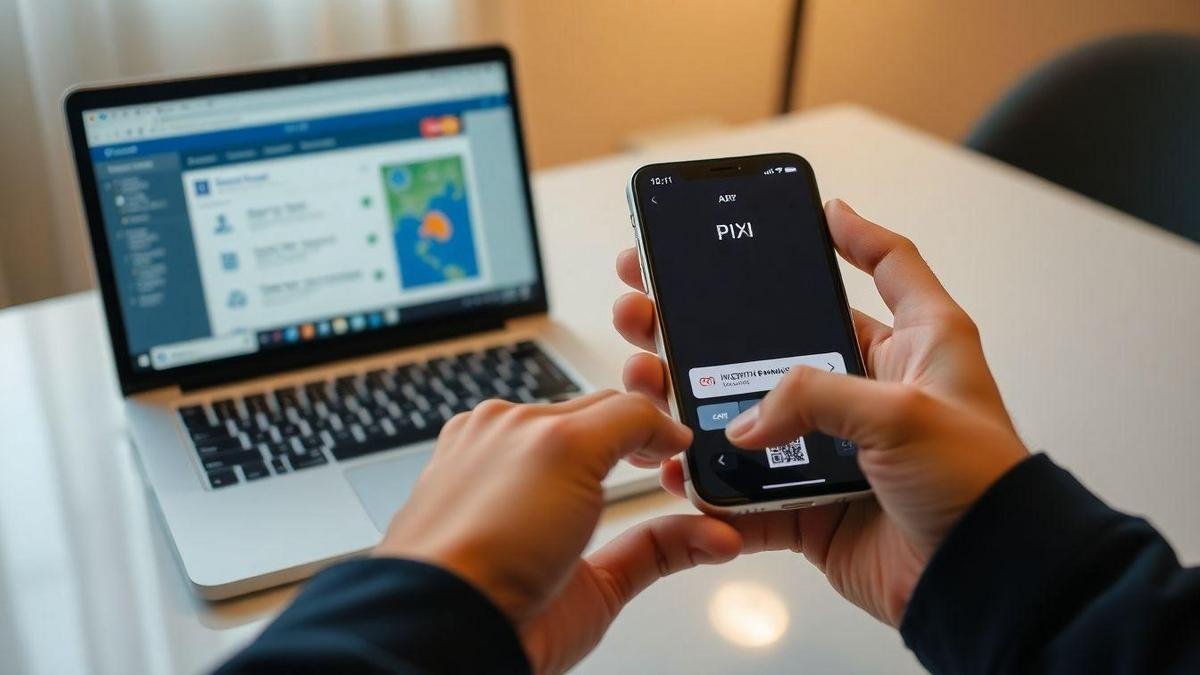
Step-by-Step Guide to Using PIX on Your Cell Phone or Through Online Banking
Open your bank's app or online banking, enter your password or use biometric authentication, and tap PIX. If you already have a registered key, receiving money is as easy as sharing your CPF or email address; using a QR code is even more convenient. For a detailed guide, see the Step-by-Step Guide to Making a PIX Payment.
To transfer or pay:
- Use a key (CPF, cell phone number, email address, or random key), enter the recipient's key, or scan the QR code.
- Check the displayed name and amount before authorizing.
- Verify using a password, token, or biometrics.
Security: Always verify the recipient and never share your password.


Register a PIX key: CPF, email, cell phone number, or random key
In the app: PIX → Manage keys → Register. Options: CPF, email, cell phone number, or random key. The random key protects your privacy; your CPF and cell phone number are easy to remember.
If you lose your phone or switch accounts, delete the old key and register the new one. If you don't have an account to register the key yet, here's how open a bank account.
Tip: Choose a random key for greater privacy; use your CPF or cell phone number for convenience when communicating with people you know.
Make a transfer or pay with a QR code in just a few steps
Key-based transfer:
- PIX → Send → By key → enter the key → enter the amount → verify the name → confirm.
QR Code:
- PIX → Pay with QR Code → point the camera or paste the payload → verify the recipient and amount → authorize.
Quick checklist before confirming:
- Check the name that appears next to PIX.
- Check the amount and date.
- Check to see if the bank and account match (when applicable).
- Do not share your password or code.
PIX Fees and Limits That Affect Your Transactions
Most transfers between individuals are free, but not all transactions are free of charge. Banks and fintech companies have different policies: some charge for specific channels, account inquiries, withdrawals, or additional services. To understand the differences between institutions, check out the content on digital accounts e checking account.
There are limits per transaction, per day, and per period (e.g., 30 days). If you need to transfer larger amounts, you may need to request a limit increase or use TED/DOC.
Check your bank's fee schedule before making large transactions. If you have issues with fees or limits, file a complaint with the Platform for complaints and dispute resolution.
Tip: Before sending a large amount, check the fee schedule and limits in the bank’s app. A screenshot can save you from any surprises.
When PIX is free and when fees may apply
Generally free for individuals for transfers between accounts and to friends/family via the app. Fees may apply if:
- Use in-person service at a branch or by phone.
- A business account is involved.
- There are additional fees (PIX withdrawals, currency conversion).
- The bank will limit the number of free transactions per month.
Daily limits, per-transaction limits, and rules that vary by bank
Limits vary by institution. Fintech companies may approve higher amounts based on credit analysis; traditional banks typically start with lower limits. If you reach the limit, split the payment or request a temporary increase.
What to look for in rates and contracts:
- Rate Schedule.
- Channels subject to fees (branch, app, ATM).
- Limits and increase policies.
- Rules for legal entities and withdrawals.

How to Prevent PIX Fraud with Simple Steps
PAUSE for a second before confirming any transfer. Check the name/business name, CPF/CNPJ, and the PIX key displayed. Be wary of urgent requests, promises of refunds via another key, and QR codes sent via chat. Treat PIX like cash: you wouldn’t hand over cash without checking it first.
Develop good habits: review notifications, set spending limits, don't save unknown keys, and keep the app up to date. To actions For best practices and more examples of fraud, see the article on How to Protect Yourself from Financial Scams.
Tip: Check that the name on the receipt matches the person who requested the payment. If there's a discrepancy, stop and call them before sending it.
Verify the recipient's identity and information before sending
Ask for a receipt, phone number, or identification document. When shopping online, choose reputable stores with an official checkout process. If the seller insists on direct payment via PIX, ask for photos of their ID and a business phone number.
Lockouts, authentication, and security tools you can enable
Take advantage of everything your bank has to offer: biometrics, transaction passwords, daily limits, and instant notifications. Use device-based locking, and never share SMS codes or passwords.
Practical steps in the app:
- Security → Enable biometrics and PIN.
- Set low daily limits for PIX and withdrawals.
- Enable instant notifications.
- Enable temporary locks in case of loss.
Steps to Take If You Are a Victim of Fraud
- Contact the bank immediately and ask them to freeze your account and PIX keys.
- File a police report (at a police station or online).
- Save screenshots, chat histories, and receipts.
- Ask the bank for a chargeback and follow up on the process. The sooner you act, the better your chances.
PIX for Businesses and MEIs, and Its Use for Online Purchases
For businesses and MEIs, PIX offers instant payments that improve cash flow. Customers pay immediately, the conversion rate typically increases, and the process becomes simpler—ideal for sales through social media and marketplaces.
Check the bank's fees and plans; many offer favorable terms based on sales volume. To integrate payments into your online store, consider providers that offer APIs and plugins for automatic reconciliation.
Security and documentation: Keep your receipts and integrate the process into your financial system. If you use business accounts, remember the importance of keeping your personal and business finances separate, as outlined in the guidelines on checking account e digital accounts.
Benefits of Instant PIX for Business Sales and Receipts
- Immediate liquidity — cash available right away.
- Fewer credit card chargebacks — see the comparison at credit card or PIX.
- Reduction in administrative costs for recurring sales.
Integration with online stores, reconciliation, and automation
With plugins and gateways, you can generate QR codes at checkout and integrate via API for automatic reconciliation. Benefits:
- Automatic transaction logging.
- Instant confirmation for order fulfillment.
- Less manual work involved in reconciliation.
Steps for automation:
- Configure the provider or plugin API.
- Define reconciliation rules (order ID, amount, time).
- Automate order fulfillment and invoice issuance.
Best Practices for Tax and Record-Keeping for Your Business
Keep a daily record of PIX transactions, issue an invoice whenever you make a sale, and save electronic statements. For MEIs, keep your personal account separate from your business account.
Keep receipts for at least five years. For obligations and formal procedures, see Information and Requirements for MEI.
Note: Keep your receipts for at least five years and maintain a weekly reconciliation routine.
Quick Summary — PIX Instant: Benefits and Precautions You Need to Know
PIX Instant is fast and convenient: send and receive payments in seconds, 24/7, at a low cost.
But speed requires caution: always verify the name, password, and amount; enable additional authentication steps; and check fees and limits. For businesses, take advantage of liquidity and automate reconciliation while maintaining tax controls.
Conclusion: Instant PIX: Benefits and Precautions You Need to Know
O Instant PIX It’s all about speed and convenience—a single tap that deposits money into your account. This speed calls for caution: pause for a second and double-check the name, key, and amount before confirming. Use multiple layers of protection (biometrics, passwords, limits, and notifications).
Be wary of rushes, suspicious links, and QR codes sent by third parties. If there is an error or scam, contact your bank immediately and file a police report—the faster you act, the better your chances of recovering your funds.
For businesses and MEIs, take advantage of immediate liquidity and automate reconciliation, but don't mix personal and business accounts. And
In summary: the PIX It's a real lifesaver when you combine speed and safety. Want to learn more? Read other articles at https://aprendersobrefinancas.com and check out our privacy policy.
Frequently Asked Questions
Instant PIX: Benefits and Precautions You Need to Know — It’s a fast way to transfer money 24/7. You can send and receive money in seconds using just your key. For a more technical overview, check out What is PIX?.
Immediate delivery, convenience, service available at any time of day, and generally low rates.
Never share your password or codes. Confirm the recipient's name, check QR codes, and be wary of pressure tactics or suspicious links. For more security tips, see How to Protect Yourself from Financial Scams.
Many banks do not charge fees to individual customers. Check with your bank to find out the daily or per-transaction limits and any fees for additional services.
Notify the bank immediately and request a refund. If that doesn't resolve the issue, file a police report and keep the receipts.