
How to Make a Pix? Did you know that in 2023, there were nearly 42 billion transactions via Pix?
This impressive figure surpassed all other payment methods combined, such as credit cards, debit cards, and payment slips.
Pix has revolutionized the way Brazilians handle money, offering a fast and secure way to perform transactions.
But what exactly is “fazer pix”? Basically, it’s an instant transfer of money which can be done at any time, including on holidays.
With a pix key, you can simplify the process by using your CPF, email address, or cell phone number to receive or send payments.
In addition to being convenient, Pix is secure and free for individuals. In this article, you’ll learn how to use this tool efficiently and reliably. Shall we get started?
Introduction to Pix
Pix, created by the Bank Central, has transformed the way we handle payments in Brazil. Launched in 2020, this system was developed to modernize financial transactions, offering convenience and security.
One of Pix's main innovations is the key, which simplifies the transfer process. With it, you can use your CPF, email address, or cell phone number to send or receive payments. All of this is directly linked to your account banking.
To use Pix, it is essential to have a account held at a financial institution. This ensures that your transactions are secure and efficient.
In addition, the system operates 24 hours a day, including holidays, which makes it even more convenient.
Throughout this article, you'll find information detailed guide on how Pix works and how to get the most out of this tool. If you want to learn more about the step-by-step process for making a Pix payment, check out this complete guide.

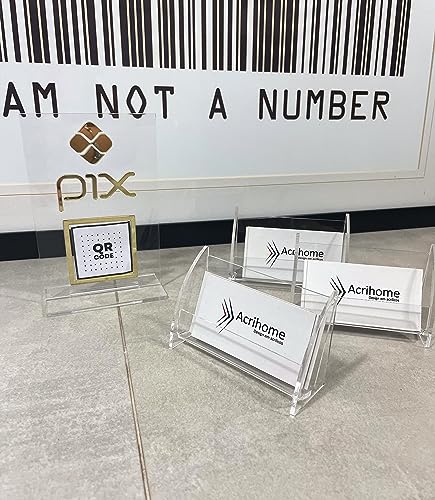
- MADE FROM high-quality material.
- THE BRACKET IS STRONG and durable, ensuring a long service life.
- The acrylic DISPLAY adds a touch of style and modernity to your business environment.
Understanding How Pix Works
Pix emerged as an innovative solution to streamline financial transactions in Brazil. Developed by the Central Bank, this system was created to modernize payments, offering convenience and security.
Since its launch, Pix has become an essential tool in the daily lives of Brazilians.
History and Establishment by the Central Bank
Inspired by international models, the Central Bank It structured Pix to meet the needs of the Brazilian market.
The goal was to offer a fast and efficient alternative to traditional transfers, such as TED and DOC. As a result, Pix was launched in 2020, revolutionizing the way we handle payments.
The Concept of the Instant Payment System (SPI)
SPI is the technological foundation that enables Pix to operate. This system connects all financial institutions, ensuring that transactions are completed in less than 10 seconds.
A key Pix, which can be a CPF number, email address, or cell phone number, simplifies the account verification process.
In addition, the code generated for each transaction ensures the authenticity and security of the payment. This combination of technology and convenience makes Pix one of the most efficient solutions on the market.
Benefits and Advantages of Pix
The convenience of Pix has changed the way we make payments. This system offers a number of advantages that make transactions faster, safer, and more cost-effective. Let’s explore the main benefits that make Pix a smart choice for your everyday life.
Real-time transactions and 24-hour availability
One of the biggest advantages of Pix is the uninterrupted availability. You can make transactions at any time of day, including holidays and weekends.
This eliminates the need to wait for business hours, as is the case with TED and DOC.
In addition, transfers are instant. In less than 10 seconds, the value is credited to the recipient's account.
This speed is ideal for situations that require quick action, such as last-minute payments or emergency transfers.
Cost savings and convenience
Pix is a cost-effective alternative. For individuals, using it is free, which represents significant savings compared to payment slip and credit card fees.
For businesses, costs are also reduced, especially for frequent transactions.
Practicality is another strong point. With a key By using simple information, such as your CPF number or email address, you avoid having to enter complex bank information. This makes the process faster and more secure.
“Pix has revolutionized the financial market by offering a fast, secure, and accessible solution for everyone.”
| Method | Availability | Cost | Speed |
|---|---|---|---|
| Pix | 24 hours | Free (individuals) | Instant |
| TED | Business Hours | Applicable fees | Up to 1 business day |
| Payment Slip | 24 hours | Applicable fees | Up to 3 business days |
In short, Pix combines security, speed, and savings, making it the best option for your financial transactions. Try it out and see how it can simplify your daily life!
Requirements for using Pix in your daily life
To use Pix in your daily life, you must meet a few basic requirements. These prerequisites ensure that your transactions are secure and efficient.
Let's go over what you need to get started with this tool.
Need for a bank or digital account
The first step is to have a account held at a financial institution. This can be a traditional bank account or a digital account.
Without a account, it is not possible to register a Pix key or make transactions.
This account must be in your name and approved by the institution. This ensures that you are solely responsible for the transactions you carry out.
If you don't have one yet, check with your bank to find out how to open a new one account.
Registration and approval criteria set by the institutions
Each institution A financial institution may have specific criteria for approving the registration of a Pix key. Generally, you must provide documents such as the CPF and keep your data up-to-date personnel records.
In addition, the approval process may vary. Some institutions require confirmation via text message or email, while others may require authentication through the bank's app. Check with your institution the exact procedures.
Keep your data Keeping your information up to date is essential to avoid problems when signing up for or using Pix. This includes information such as your address, phone number, and email address.
Finally, remember that each customer You can have up to five Pix keys registered. Choose the ones that best suit your needs and keep them up to date to ensure the security of your transactions.
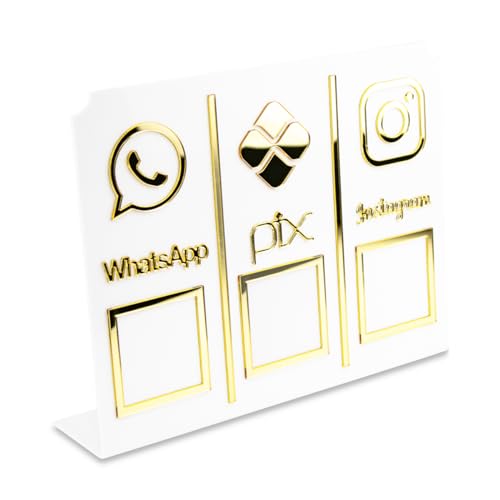
- The perfect SOLUTION to make day-to-day operations at your business easier.
- THIS HANDY holder lets you display a QR code for WhatsApp, Pix, and Instagram all in one place
- SIMPLIFYING the process of making contact, making payments, and engaging your social network.
Step-by-Step: How to Make a Pix?
Making a transfer via Pix is easier than you might think. In just a few steps, you can send and receive money quickly and securely. We'll walk you through the entire process.
Download the app and go to the Pix section
The first step is to download the app from your bank or financial institution. If you already have the app Once it's installed, just open it and go to the Pix section. This section is usually highlighted in the main menu.
Pix Key Registration and Confirmation
After logging into the Pix area, the next step is to register your key. Choose from options such as your CPF, email address, or cell phone number.
After selecting, you will receive a code a verification code via text message or email to confirm registration.
This code It is essential to ensure the safety of your key. Insert it into the app and complete the registration. That's it! Now you can use Pix for your transactions.
With these simple steps, you'll be ready to enjoy all the benefits of this tool. Pix is convenient, secure, and available 24 hours a day. Give it a try and see how it can make your financial life easier!
Types of Pix keys for your transactions
Pix offers different types of keys to make your transactions easier. Each one has unique features that meet specific needs.
Choosing the right key can make your transfers more secure and convenient.
CPF/CNPJ, cell phone number, email address, and random code
O CPF or CNPJ It is one of the most commonly used keys. It is intuitive and easy to share, but it should be used with caution to prevent fraud.
The cell phone number and email These are practical options, especially for those who prefer to avoid sharing personal information.
A random key, consisting of 32 characters, is the most secure. It is generated automatically and does not contain any personal information, which reduces the risk of scams.
However, because it is less memorable, it is ideal for transactions that require a high level of security.
For those looking for convenience, the email or cell phone number are excellent choices. They're easy to remember and simplify the transfer process. As for the random key It is recommended for transactions involving large amounts or frequent transactions.
Choosing the right Pix key depends on your profile and your needs. If you prioritize security, the random key It's the best option.
For everyday transactions, the email or cell phone number may be more convenient.
How to Register and Manage Your Pix Keys
Register and manage your keys Pix is a simple and essential process for optimizing your financial transactions.
With the option to use up to five keys, you can choose the ones that best meet your needs. We'll walk you through each step.
Registration and Verification Process
To register a new key, open your bank's app and go to the Pix section. Choose from options such as your CPF, email address, or cell phone number. After making your selection, you'll receive a verification code via text message or email.
Enter the code in the app to confirm your registration. This step ensures the security of your key and prevents fraud. That's it! Now you can use this key to send or receive payments.
Key Portability Between Institutions
If you switch from institution financial institution, you can transfer your keys Pix. This process preserves your keys active, even if you switch banks.
To do this, request number portability with the new institution and follow the instructions provided.
Portability is simple and eliminates the need to register new keys. This ensures continuity in your transfers and makes it easier to use Pix in everyday life.
“Managing your Pix keys centrally makes your financial transactions more convenient and secure.”
| Benefits | Description |
|---|---|
| Convenience | Use up to five Pix keys for different purposes. |
| Security | Two-step verification ensures authenticity. |
| Portability | Migrate your keys between institutions with ease. |
With these tips, you can manage your pix keys efficiently and securely. Make the most of this tool and simplify your financial transactions!
Using the QR Code and Pix Copy and Paste
The QR Code and Pix Copy and Paste are two features that make transactions even more convenient and secure.
These options They eliminate the need to enter bank information manually, reducing errors and streamlining the process. Let's take a look at how each one works and how you can make the most of them in your daily life.
Generating QR Codes for Payments
The QR code is one of the simplest ways to perform a payment. To use it, just open the app from your bank and access the Pix section.
Next, select the option to generate a QR code. The system will create a code the only one containing all the information needed for the transaction.
To perform the payment, the recipient simply needs to scan the QR code with their phone's camera. This makes the process fast and secure, ideal for situations such as shopping at brick-and-mortar stores or paying for services.
How to Use the Copy and Paste Option for Transfers
Pix Copy and Paste is another one option which facilitates the transfers. When generating a code Pix, you can copy it and share it via message or email.
The recipient just needs to paste the code in app from the bank to confirm the transaction.
This feature is especially useful for anyone who needs to send or receive money quickly, without having to enter bank information. In addition, the code The generated code is unique for each transaction, ensuring greater security.
| Method | Advantage | Indication |
|---|---|---|
| QR Code | Speed in In-Person Payments | Shopping at brick-and-mortar stores |
| Pix Copy and Paste | Convenient online transfers | Payments via text message or email |
Both of the options They're efficient and meet a variety of needs. Choose the one that best fits your routine and enjoy the convenience of Pix!
Pix with a credit card: an innovative option
Pix with credit card It is an innovation that brings more flexibility to your financial transactions.
This option allows you to use your limit card to make transfers, even if there are no immediate funds in the account.
One of the major advantages is the option to pay in installments payment, giving you greater control over your cash flow.
Advantages and unique features of this approach
One of the main advantages of Pix with credit card It's the flexibility in payment plans. You can split the transfer amount into up to 24 payments, depending on the financial institution.
This is ideal for anyone who needs to perform a payment It's urgent, but there's no available balance right now.
Another advantage is convenience. The recipient receives the full amount instantly, even if the payment be paid in installments.
This ensures fast transactions while maintaining the security and reliability of traditional Pix.
Differences Between Traditional Pix and the Card-Based Version
While the standard Pix service is free for individuals, the version with credit card may involve additional costs.
Fees such as interest and the IOF (Tax on Financial Transactions) apply, depending on the institution and the number of installments chosen.
In addition, the traditional Pix does not allow for installment payments, while the version with credit offers this option. This makes the program more appealing to those seeking greater financial control.
| Features | Traditional Pix | Pix with a Credit Card |
|---|---|---|
| Cost | Free of charge | Applicable fees and interest rates |
| Installments | Not available | Up to 24 times |
| Availability | 24 hours | 24 hours |
In short, Pix with credit card It is an innovative option that combines speed and flexibility. With the option to pay in installments, the payment, you can better manage your finance and enjoy the benefits of this activity.
Instant Transactions and Pix Limitations
Customize the limits e values Tracking your Pix transactions can provide greater security and financial control.
With this tool, you can customize operations to suit your needs, making your day-to-day tasks more convenient.
Setting Limits and Customizing Values
Pix lets you set limits logs of your transactions. This is especially useful for avoiding overspending or unintended transfers.
In your bank's app, you can set up the value the maximum amount you want to send or receive in a single day.
In addition, you can customize the values of each payment. If you need to send a specific amount, simply adjust the corresponding field at the time of the transaction.
This flexibility makes it easier to manage your finances.
Restrictions imposed by institutions
To ensure security, financial institutions impose certain restrictions. For example, transactions exceeding R$ 200 must be made on devices that have been registered in advance.
This reduces the risk of fraud and protects your values.
Another measure is the limit R$ daily limit of 1,000 for transactions on unregistered devices. If you're using a cell phone or computer for the first time, this rule helps keep your transactions secure.
Adjusting limits based on your profile
It is important to adjust the limits based on your profile and needs. If you make a lot of transactions every day, you can increase the value maximum allowed.
On the other hand, if the goal is to achieve greater control, define a limit A smaller one might be the best option.
This customization ensures that Pix meets your expectations, offering convenience and security in every payment.
Security and Best Practices to Prevent Fraud on Pix
Maintaining security In Pix transactions, this is essential to prevent fraud and ensure the system's reliability.
As the use of this tool grows, it is important to adopt practices that protect your data and its account.
Methods of Authentication and Data Verification
The financial institutions use rigorous methods to ensure the security of the transactions.
Two-step verification, for example, requires you to confirm your identity via text message or email before completing a transaction.
In addition, end-to-end encryption protects your information throughout the entire process. This means that your data They are encrypted and can only be accessed by you and the recipient.
How Institutions Ensure Security
The financial institutions They invest in advanced technologies to detect suspicious activity.
Anti-fraud engines automatically block transactions that do not match your profile, thereby reducing risks.
Another measure is the Precautionary Freeze, which allows funds to be frozen for up to 72 hours in cases of suspected fraud. This provides an additional layer of protection for your transactions.
Practical Tips for Avoiding Fraud
- Never share passwords or verification codes.
- Always check the data the recipient's before confirming a transaction.
- Avoid clicking on suspicious links received via email or text message.
Adopting these practices helps keep your account ensures safety and prevents problems when using Pix.
“Security is a top priority at Pix, and every transaction is protected by multiple layers of authentication and encryption.”
With these guidelines, you can get the most out of this tool while keeping your information and protected financial resources.
Integrating Pix with mobile apps and devices
The integration of Pix with mobile devices and technologies such as NFC has brought a new level of convenience to financial transactions.
By using the cell phone, you can make payments and transfers quickly and securely, right from your app banking.
Use of NFC and Other Complementary Technologies
NFC (Near Field Communication) is a technology that enables contactless payments. With this technology, all you have to do is tap the cell phone into a card reader to complete the transaction.
This feature eliminates the need to enter passwords or scan QR codes, making the process even faster.
In addition to NFC, many applications Financial institutions offer integration with other technologies, such as facial biometrics and voice recognition.
These tools ensure greater security and convenience, especially for transactions involving larger amounts.
Benefits of Mobility and Connectivity
The ability to access Pix directly from your cell phone It offers a number of benefits. You can make transactions at any time, without having to rely on computers or bank branches.
In addition, this connectivity allows you to manage your finances centrally, with all the information available in one place.
Another advantage is portability. If you switch from app or device, your Pix keys can be migrated without any complications.
This ensures business continuity and makes the system easier to use on a day-to-day basis.
“The integration of Pix with mobile technologies is redefining the way we handle payments, offering convenience and security with every transaction.”
With these features, Pix has established itself as one of the most modern and efficient solutions for your financial needs. Try it out and see how it can simplify your daily routine!
Pix for Individuals vs. Businesses
Pix adapts to the needs of different user profiles, offering specific features for individuals e companies.
While individuals have access to practical, free resources, companies rely on more robust systems to optimize their operations.
Differences in the number of keys and costs
One of the main differences between the profiles is the number of pix keys available. Individuals They can register up to five identifiers, such as a CPF number, email address, or cell phone number.
As for the companies They can use up to 20 keys, which makes it easier to manage multiple accounts or departments.
Another important point is the cost structure. To individuals, Pix is completely free—there are no fees for sending or receiving payments.
However, the companies They may face variable costs, depending on the financial institution.
Some banks charge a percentage of the transaction amount, while others offer specific plans for businesses.
Specific Benefits for Businesses
The companies Pix offers a powerful tool for improving cash flow. The immediate liquidity of transactions allows you to receive payments in real time, without relying on intermediaries.
In addition, features such as Pix Cobrança and dynamic QR codes make it easier to manage incoming payments.
For the customer, the experience is also more convenient. Pix eliminates the need to enter bank information, reducing errors and speeding up the process.
This can increase customer satisfaction and loyalty.
| Features | Individuals | Companies |
|---|---|---|
| Number of Keys | Up to 5 | Up to 20 |
| Costs | Free of charge | Variable rates |
| Features | Transfers and Receipts | Pix Billing, Dynamic QR Code |
In short, Pix offers personalized solutions for every user profile. Whether you're a individual or a company, you can take advantage of this tool to simplify your financial transactions. To learn more about how to optimize your payments, check out this complete guide.
Optimizing Your Transfers with Smart Strategies
To maximize the efficiency of your transfers When using Pix, it's essential to adopt smart strategies.
With a few simple tips, you can streamline the process of payment and ensure that your transactions are fast and secure.
Reducing wait times and costs
One of the main advantages of Pix is its speed. To make the most of this feature, make sure all your keys are up to date.
This prevents delays in transaction confirmation.
In addition, when choosing the option With QR Code or Pix Copy and Paste, you eliminate the need to enter bank information manually. This not only speeds up the process but also reduces the risk of errors.
Using Each Step Wisely
Each step of the process of transfer can be optimized. For example, when registering your keys, choose the ones you use most often. This makes them easier to access and speeds up transactions.
Another tip is to set daily limits for your transfers. This helps you keep track of your spending and provides greater security.
Comparing Options to Streamline Transactions
There are several options available to streamline your transactions. The QR Code is ideal for payments in person, while Pix Copy and Paste is more convenient for online transactions.
For those looking for greater security, the random key It's the best choice. It doesn't contain any personal information, which reduces the risk of fraud.
| Method | Advantage | Indication |
|---|---|---|
| QR Code | Speed in In-Person Payments | Shopping at brick-and-mortar stores |
| Pix Copy and Paste | Convenient online transfers | Payments via text message or email |
| Random Key | Security in High-Value Transactions | Frequent Transfers |
With these strategies, you can optimize your transfers and make the most of Pix's benefits. Give it a try and see how these tips can simplify your financial life!
Essential Tips for Getting the Most Out of Pix
Getting the most out of Pix requires attention to detail and safe practices. With a few simple tips, you can ensure that your transactions are fast, efficient, and protected against fraud.
Best Practices and Safety Precautions
To keep your transactions secure, avoid using public Wi-Fi networks, such as those in shopping malls and bars. These networks may contain viruses and malware, increasing the risk of unauthorized access to your data.
Another important tip is to always verify the recipient's information before confirming a transaction. This helps prevent errors and potential scams.
Updating your devices and apps regularly is also crucial. Updates fix vulnerabilities in security and prevent cybercriminals from exploiting vulnerabilities.
Efficient Monitoring and Management
Check your transactions frequently to identify any suspicious activity. If something seems out of the ordinary, contact contact Contact your financial institution immediately.
In addition, set daily limits for your transfers. This helps you control your spending and ensures greater security.
Be Aware of Fees and Information Updates
Although Pix is free for individuals, it's important to be aware of possible fees in specific transactions, such as credit card use. Check with your bank to avoid any surprises.
Keep your information up-to-date personal information, such as your address, phone number, and email address. This makes it easier to communicate with your financial institution and helps prevent problems while using the service.
| Tip | Benefits |
|---|---|
| Avoid public networks | Reduces the risk of fraud |
| Verify recipient information | Avoid mistakes and scams |
| Update devices | Fixes security vulnerabilities |
| Monitor Transactions | Identifies suspicious activity |
| Set daily limits | Controls expenses and improves security |
By following these practices, you can make the most of Pix’s benefits while keeping your transactions secure and efficient. For more financial tips, check out this complete guide.
Comparison: Pix vs. Other Payment Methods
When it comes to efficiency and convenience, Pix stands out among the methods of payment available in Brazil.
With instant transactions and lower costs, it outperforms alternatives such as TED, DOC, and boleto. Let’s explore the main differences and advantages of Pix compared to these methods.
One of the biggest advantages of Pix is the speed. While TED and boleto transfers can take up to one business day to clear, Pix allows the money be credited to the recipient's account in a few seconds.
This flexibility is ideal for situations that require speed, such as last-minute payments or transfers emergencies.

Another strength is the availability. Pix operates 24 hours a day, including holidays and weekends. TED and boleto, on the other hand, are limited to business days and specific hours. This flexibility makes Pix a option more convenient for those who need to conduct transactions outside of business hours.
In terms of costs, Pix is free for individuals, while TED and boleto may involve fees.
For businesses, costs are also reduced, especially for frequent transactions. These savings make Pix a smart choice for those looking to cut expenses on payments.
Security is another key feature. Pix uses end-to-end encryption and two-step authentication, ensuring that your transactions are secure.
In addition, each bank e institution The financial institution has implemented strict measures to protect its customers from fraud.
| Method | Speed | Cost | Availability |
|---|---|---|---|
| Pix | Instant | Free (individuals) | 24 hours |
| TED | Up to 1 business day | Applicable fees | Business Hours |
| Payment Slip | Up to 3 business days | Applicable fees | 24 hours |
In short, Pix combines security, agility, and cost-effectiveness, making it the best option for your financial transactions.
Whether you're sending or receiving money, Pix offers a fast, secure, and affordable solution for everyone.
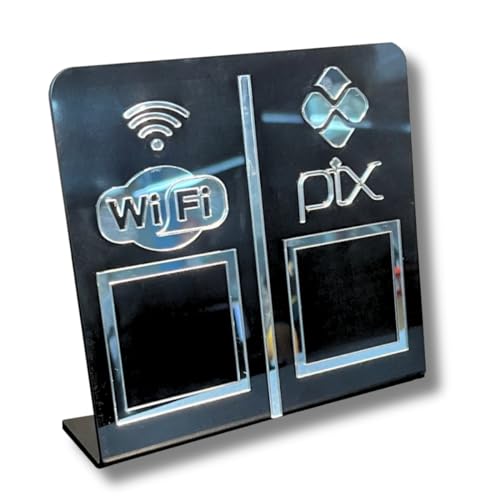
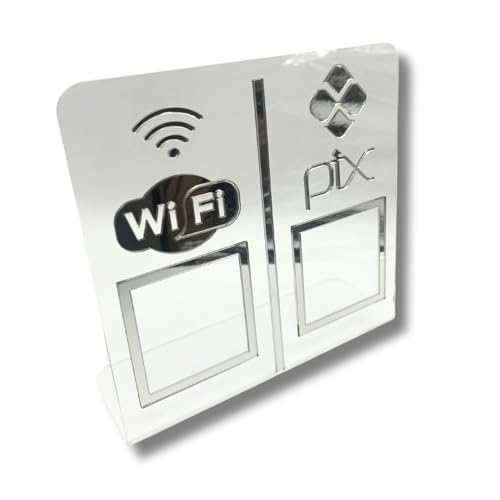
- Pix sign, Wi-Fi sign, QR code display, QR code sign
Conclusion
Pix has revolutionized the system of payments in Brazil, bringing efficiency and security for everyday transactions.
Created by Central Bank, that half Instant transfers have become essential for individuals and businesses, offering convenience and cost savings.
With features such as QR codes and personalized keys, Pix makes it easy to send and receive value.
In addition, its 24-hour availability and end-to-end encryption ensure secure and reliable transactions.
To get the most out of this tool, it's important to keep your information updated and adopt best practices for security.
Whether you're a customer Whether you're an individual or a business, Pix is an efficient solution for your financial needs.
Try Pix and discover how it can transform your daily routine payments, making it easier and giving you more control over your finances.
FAQ
Q: What is Pix, and how does it work?
A: Pix is an instant payment system created by the Central Bank. It allows for real-time transfers and payments, 24 hours a day, using identifiers such as a CPF number, email address, or cell phone number.
Q: What are the benefits of using Pix?
A: Pix offers fast, fee-free transactions that are available 24/7. In addition, it is convenient and secure, and can be used by both individuals and businesses.
Q: What types of Pix keys are available?
A: You can use your CPF/CNPJ, cell phone number, email address, or a random key. These keys make transactions easier without having to share bank information.
Q: How do I register a Pix key?
A: In your bank's app, go to the Pix section and follow the instructions to register and confirm your key. The process is quick and easy.
Q: Can I use Pix with a credit card?
A: Yes, Pix with a credit card is an innovative option that allows you to pay in installments or in full, depending on your financial institution.
Q: What are the transaction limits for Pix?
A: The limits vary by bank. You can customize these amounts directly in your bank's app.
Q: How can I ensure the security of Pix transactions?
A: Use strong authentication methods, verify the data before confirming a transaction, and avoid sharing your keys with third parties.
Q: Is Pix free for all users?
A: For individuals, Pix is free for most transactions. Businesses may be charged fees depending on the volume and type of transaction.
Q: How does Pix Copy and Paste work?
A: Pix Copy and Paste lets you copy a generated code and paste it into your bank's app to make a transfer quickly and securely.
Q: Can I transfer money to accounts at other banks using Pix?
A: Yes, Pix allows for instant transfers between accounts at different financial institutions at no additional cost.